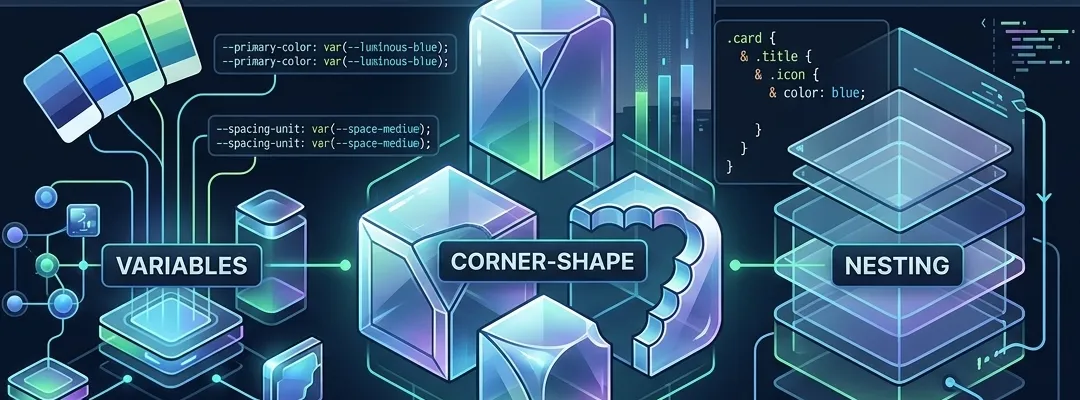
Modern CSS in 2026 — Variables, Nesting, and corner-shape
CSS has evolved dramatically over the past few years. Features that once required Sass, Less, or PostCSS plugins are now native to the language. In this post I walk through three capabilities that have fundamentally changed my workflow: custom properties (variables), native nesting, and the brand-new corner-shape property.
CSS Custom Properties — More Than Just Variables
Custom properties landed in browsers years ago, but their true power is still underappreciated. Unlike Sass variables, which are compiled away at build time, CSS custom properties are live in the browser and can be manipulated at runtime.
The Basics
:root {
  --color-accent: #10b981;
  --color-bg: #0a0a0a;
  --spacing-unit: 0.25rem;
}

.card {
  background: var(--color-bg);
  border: 1px solid var(--color-accent);
  padding: calc(var(--spacing-unit) * 6);
}
Nothing revolutionary here. But consider what happens when you scope variables to a component:
.card {
  --card-padding: 1.5rem;
  --card-radius: 0;
  padding: var(--card-padding);
  border-radius: var(--card-radius);
}

.card.compact {
  --card-padding: 0.75rem;
}
The .compact variant only overrides the variable — the layout logic stays in one place. This pattern scales beautifully when you're building a design system with multiple variants.
Runtime Manipulation
The killer feature that Sass variables can't match — JavaScript can read and write custom properties in real time:
// Toggle dark/light theme
document.documentElement.style.setProperty(
  "--color-bg",
  isDark ? "#0A0A0A" : "#FFFFFF",
);
document.documentElement.style.setProperty(
  "--color-text",
  isDark ? "#FAFAFA" : "#1A1A1A",
);
No class toggling, no stylesheet swapping. Just update the variables and every element that references them repaints automatically. I use this pattern for the theme system on this website.
Fallback Chains
Custom properties support fallbacks that chain gracefully:
.element {
  color: var(--theme-text, var(--color-text, #fafafa));
}
If --theme-text isn't defined, it falls back to --color-text, then to #FAFAFA. This is invaluable when building components that need to work in different theming contexts.
Native CSS Nesting
For years, nesting was the primary reason developers reached for Sass. As of 2024, native CSS nesting is supported across all major browsers — and it works slightly differently than you might expect.
Syntax
.card {
  background: var(--color-surface);
  border: 1px solid var(--color-border);

  .title {
    font-weight: 600;
    color: var(--color-text);
  }

  .meta {
    font-size: 0.75rem;
    color: var(--color-muted);
  }

  &:hover {
    border-color: var(--color-accent);
  }
}
The & symbol works exactly as in Sass for pseudo-classes and pseudo-elements. For descendant selectors, you can now omit the & entirely — the browser infers it.
Media Queries Inside Rules
One of the most useful patterns — embedding responsive logic directly in the component definition:
.grid {
  display: grid;
  grid-template-columns: 1fr;
  gap: 1rem;

  @media (min-width: 768px) {
    grid-template-columns: repeat(2, 1fr);
  }

  @media (min-width: 1024px) {
    grid-template-columns: repeat(3, 1fr);
    gap: 1.5rem;
  }
}
No more scrolling between a selector and its media query variants hundreds of lines apart. The responsive behavior lives with the component it modifies.
Nesting with :is() and :has()
Nesting combines powerfully with modern selectors:
.nav {
  a {
    color: var(--color-muted);
    transition: color 150ms;

    &:hover,
    &:focus-visible {
      color: var(--color-text);
    }

    &:has(> .icon) {
      display: inline-flex;
      align-items: center;
      gap: 0.5rem;
    }
  }
}
The :has() selector — sometimes called the "parent selector" — is particularly powerful nested inside component styles. It lets you style an element based on what it contains, without JavaScript.
The corner-shape Property
This is the newest addition and the one I'm most excited about. The corner-shape property, part of the CSS Backgrounds and Borders Module Level 4 spec, controls the shape of corners independently from border-radius.
Beyond Rounded Corners
Until now, border-radius gave us one shape: circular (or elliptical) arcs. The corner-shape property introduces new options:
.tag {
  border-radius: 0.5rem;
  corner-shape: squircle;
}
Available values:
round— the default circular arc (currentborder-radiusbehavior)squircle— a superellipse curve, the same shape Apple uses for iOS icons. Smoother than a circular arc, it avoids the abrupt transition between the flat edge and the curvescoop— an inward concave curve, creating a notched or scooped cornernotch— a straight diagonal cut, producing a chamfered cornerbevel— similar to notch but with a flat cut
Squircle: The Shape You've Been Missing
The difference between round and squircle is subtle but significant. A circular border-radius creates a hard tangent point where the curve meets the straight edge. A squircle uses a continuous curvature that eases in and out:
/* Traditional rounded corners */
.card-round {
  border-radius: 1rem;
  corner-shape: round;
}

/* Squircle — smoother, more organic */
.card-squircle {
  border-radius: 1rem;
  corner-shape: squircle;
}
For UI elements like cards, buttons, and avatars, squircle corners feel more polished. Apple recognized this years ago — every icon, modal, and UI element in iOS and macOS uses superellipse curves, not circular arcs.
Practical Use: Notched Corners
The notch value opens up design possibilities that previously required SVG or clip-path hacks:
.badge {
  border-radius: 0.75rem;
  corner-shape: notch;
  background: var(--color-accent);
  color: var(--color-bg);
  padding: 0.25rem 0.75rem;
  font-size: 0.75rem;
}
This creates a hexagonal-feeling tag — perfect for labels, status badges, or a sci-fi / terminal aesthetic. On this site, I'm experimenting with notched corners for code block decorations.
Per-Corner Control
Like border-radius, you can apply corner-shape to individual corners:
.element {
  border-radius: 1rem 1rem 0 0;
  corner-shape: squircle squircle round round;
}
This applies squircle curves to the top corners and standard rounding to the bottom — useful for cards that sit flush against a container edge.
Browser Support
As of March 2026, corner-shape is supported in Chrome 130+ and Safari 18.4+ behind no flags. Firefox support is expected in the next release cycle. For production use, combine with @supports:
.card {
  border-radius: 0.75rem;

  @supports (corner-shape: squircle) {
    corner-shape: squircle;
  }
}
The fallback is graceful — browsers that don't support corner-shape simply render standard rounded corners.
Putting It All Together
Here's a component that combines all three features — variables, nesting, and corner-shape:
.post-card {
  --card-bg: var(--color-surface);
  --card-border: var(--color-border);
  --card-padding: 1.5rem;

  background: var(--card-bg);
  border: 1px solid var(--card-border);
  padding: var(--card-padding);
  border-radius: 0.75rem;
  corner-shape: squircle;
  transition: border-color 150ms;

  .image {
    width: 100%;
    height: 8rem;
    object-fit: cover;
    margin-bottom: 1rem;
    border-radius: 0.375rem;
    corner-shape: squircle;
  }

  .tag {
    font-size: 0.75rem;
    color: var(--color-accent);
    border: 1px solid color-mix(in srgb, var(--color-accent) 30%, transparent);
    padding: 0.125rem 0.5rem;
    border-radius: 0.25rem;
    corner-shape: notch;
  }

  &:hover {
    --card-border: color-mix(in srgb, var(--color-accent) 40%, transparent);
  }

  @media (min-width: 768px) {
    --card-padding: 2rem;
  }
}
No preprocessor. No JavaScript. Just CSS.
Final Thoughts
The gap between what CSS can do natively and what preprocessors provide has narrowed to almost nothing. Custom properties handle theming and component variants. Nesting eliminates the biggest ergonomic complaint about vanilla CSS. And corner-shape finally gives us design-grade curves without SVG workarounds.
If you're still reaching for Sass out of habit, take a week and try writing pure CSS with these features. You might find — like I did — that the language has caught up to our needs.